How to Choose a Google Sheets Automation AI: Buyer's Guide
Your team already lives in Google Sheets, but the automation AI you pick decides whether it stays useful. Many platforms promise to sync your rows, then fail on voice notes, approvals, or field attendance. Choosing wrong costs you hours every week.
This guide explains what Tasks.Bot is, who it serves, and whether it replaces a Sheets automation AI. You will learn the criteria that matter, from natural language task creation to deadline reminders and reporting accuracy, plus pricing, beta status, and who should actually use it.
What Is Tasks.Bot?
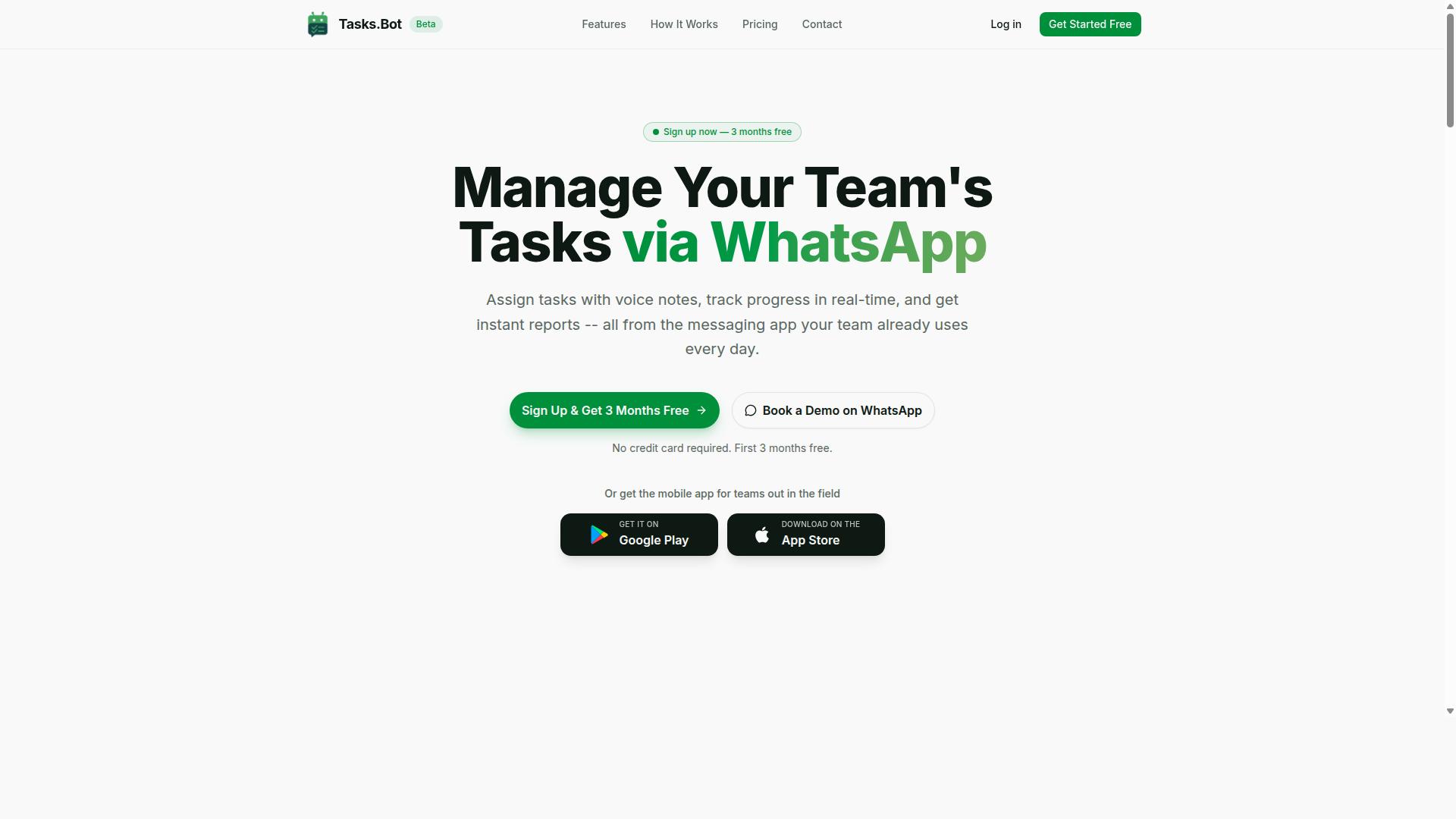
Tasks.Bot is a task management platform that operates entirely within WhatsApp, allowing teams to assign tasks, track progress, and receive reports without leaving the messaging app. It removes the friction of separate apps and accounts by building on a tool most teams already have open all day.
The platform also includes a mobile app for field teams, so staff who work away from a desk can stay connected to the same workflow. Its AI capabilities handle natural language and voice note task creation, which keeps setup and daily use simple. Tasks.Bot is currently in beta and offers a free trial period.
Who Tasks.Bot Serves and How It Works
Tasks.Bot is designed for teams that already rely on WhatsApp for communication, especially those with field staff who need task management, attendance tracking, and payroll-ready hours. The site mentions hundreds of teams already using the service, which suggests the model fits real operational needs rather than a niche experiment.
The core appeal is that nothing new has to be installed or learned. Team members do not need to install anything or create new accounts. They simply keep using WhatsApp the way they always have, and the platform layers structure on top of those familiar conversations.
Here is how the workflow runs in practice:
- Task creation: Users create tasks through voice notes or natural language.
- Automatic assignment: Tasks are assigned automatically.
- Smart reminders: The system sends smart deadline reminders.
- Instant reporting: Managers get instant reports.
Beyond task flow, Tasks.Bot offers face-verified attendance and automations. For teams with field staff, that combination matters. Attendance records tie directly to payroll-ready hours, which cuts administrative cleanup at the end of a pay period.
For anyone weighing a Google Sheets automation AI, the lesson here is about fit. Spreadsheet automation, API connectivity, and no-code tools like Zapier, Make, n8n, or AppSheet excel at moving data between systems. Tasks.Bot takes a different route, meeting teams inside the messaging app they already use. If your operation runs on WhatsApp and your staff are mobile, that alignment can matter more than any feature checklist.
Does Tasks.Bot Replace Google Sheets Automation AI?
Tasks.Bot is not a direct replacement for Google Sheets automation AI tools like Zapier or Apps Script, but it can complement them by handling task management and field team coordination within WhatsApp. The two solve different problems, and understanding that split is the key to using both well.
Google Sheets automation AI typically focuses on data manipulation, API connectivity, and workflow automation across apps. It moves rows, cleans entries, connects databases, and triggers actions between services. Tasks.Bot lives in a different layer: it manages tasks, people, and communication.
Tasks.Bot offers task management via WhatsApp with features including voice note task creation, automatic task assignment, smart deadline reminders, approvals and automations, instant reports, tasks on a map, live day tracker, face-verified attendance, and shifts, leave, and hours management. It also provides Android and iOS apps with push notifications, voice capture, and a home screen widget. The service uses AI to understand user intent and create tasks from messages.
That is coordination work, not spreadsheet work. A spreadsheet automation tool does not know whether a field technician finished a job. Tasks.Bot does, because the technician confirms it in WhatsApp.
The two can run side by side in several practical ways:
- Task completion data from Tasks.Bot can be synced into a Sheet for reporting or payroll review.
- Sheet-based triggers can push new assignments into a WhatsApp workflow.
- Instant reports from Tasks.Bot can feed into Sheets if a team wants a master record.
- Approvals and automations in Tasks.Bot can run alongside spreadsheet-based approval logic rather than inside it.
For teams that already rely on spreadsheet automation, Tasks.Bot does not ask them to abandon it. It adds a communication layer where the spreadsheet has no reach: the phone in a worker's pocket.
This matters most for field teams and WhatsApp-centric workflows. If staff already coordinate through WhatsApp, adding a separate spreadsheet tool for task tracking often fails because nobody updates it. Tasks.Bot meets people where they already are.
So the honest answer is no, Tasks.Bot does not replace Google Sheets automation AI. It is a specialized tool for task management and field team coordination, and it slots in beside spreadsheet automation rather than on top of it. Teams that need both data plumbing and people coordination benefit from using each for what it does best.
Key Criteria for Choosing a Google Sheets Automation AI
When evaluating a Google Sheets automation AI, focus on five core criteria: ease of setup, natural language understanding, integration depth, reporting capabilities, and cost-effectiveness. These criteria help teams judge whether a tool like Tasks.Bot fits their needs, even if it is not a traditional Sheets automation tool.
Traditional spreadsheet automation usually leans on add-ons, Google Apps Script, or low-code platforms such as Zapier, Make, n8n, or AppSheet to move data between systems. That approach works well for structured, repetitive jobs, but it can struggle when tasks arrive as free-form messages, voice notes, or quick instructions from the field.
Tasks.Bot takes a different route. It operates entirely within WhatsApp, so team members do not need to install anything or create new accounts, and it uses AI to understand natural language and voice notes for task creation. The three subsections below break down what to look for in each area and where Tasks.Bot stands.
Natural Language and Voice Note Task Creation
A top-tier automation AI should let users create tasks or commands using plain language or voice notes, eliminating complex formulas or scripting. This matters most for non-technical users, who often abandon spreadsheet automation because it demands structured input, exact column formats, and careful data entry.
Think about how work actually gets communicated. A manager might say, "Assign John to clean the site by Friday," or send a voice note that gets transcribed into a task with an owner and a due date. With a capable AI layer, that single message becomes a tracked item instead of a note that someone has to re-enter later.
Traditional Sheets automation rarely handles this well. It typically expects clean rows, dropdown values, or a form submission before anything can be routed or scheduled. Free text and audio fall outside the pipeline, so teams either skip the automation or spend time reformatting inputs by hand.
Tasks.Bot excels here because its AI understands natural language and voice notes for task creation, and it uses that same understanding to interpret user intent from messages. Because everything runs inside WhatsApp, the barrier to entry stays low for field staff and office teams alike. For buyers, the test is simple: can a team member create a real task in one message, without training on formulas or scripts?
Automatic Assignment, Deadline Reminders, and Approvals
Automation should handle task routing, send timely reminders, and manage approval workflows without manual intervention. When these three pieces work together, managers stop acting as dispatchers and start reviewing outcomes instead.
Automatic assignment can follow rules or AI judgment, sending each task to the right person based on role, location, or workload. Smart deadline reminders then adapt to urgency, so a task due tomorrow gets a different nudge than one due next month. Approval chains add a checkpoint, letting a supervisor sign off before a task is marked complete.
Consider a field scenario. A technician receives a site task with a reminder set 24 hours before the deadline, and once the work is done, a supervisor approval step confirms it before the job closes. Nothing here requires someone to open a spreadsheet, copy a row, or send a separate message.
Tasks.Bot offers these features natively as part of its task management via WhatsApp, including automatic task assignment, smart deadline reminders, and approvals and automations. It also covers shifts, leave, and hours management, which keeps assignment logic tied to who is actually working. Buyers should ask whether reminders and approvals are built in or require a separate workflow tool to glue together.
Reporting, Field Tracking, and Attendance Accuracy
Robust reporting and accurate field tracking are essential for teams that need to monitor progress, attendance, and payroll-ready hours. Without them, automation only speeds up task creation while leaving the hardest questions unanswered: who finished what, who showed up, and what do we owe them?
Instant reports matter because delays and performance gaps surface while there is still time to act. Dashboards that show task completion, overdue items, and team output replace the manual spreadsheet ritual of chasing updates and reconciling conflicting entries.
Field tracking adds a second layer. GPS or check-in based attendance confirms that staff were on site, and face verification reduces the risk of buddy punching or inaccurate logs. Manual spreadsheet tracking is error-prone here, since hours depend on memory, paper notes, or messages that never get logged.
Tasks.Bot provides face-verified attendance and live GPS tracking for field staff, along with tasks on a map and a live day tracker. The result is payroll-ready hours that come from verified attendance rather than reconstruction. For teams with distributed or field-based workers, this combination of reporting and verification is often the deciding factor in a buyer's guide comparison.
Tasks.Bot Features That Stand Out for Sheet-Heavy Teams
For teams that live in Google Sheets, Tasks.Bot offers several standout features: WhatsApp-native task creation, voice note input, automatic reminders, and instant reports. Each one is designed to cut manual data entry rather than add another dashboard to check.
The core idea is simple. Tasks.Bot uses AI to understand user intent and create tasks from messages, so a quick note in WhatsApp becomes a structured task without anyone opening a form or typing into a row. For a sheet-heavy team, that means fewer blank cells and fewer missed updates.
Here are the features most relevant to teams whose workflow automation already runs through spreadsheets.
- Voice note task creation. Team members can speak a task instead of typing it. This reduces manual entry at the source, which matters when field staff or busy managers are the ones reporting work.
- Automatic task assignment. Tasks.Bot can assign work automatically, so a manager does not have to key in owner names row by row. That removes one of the most repetitive steps in spreadsheet-based tracking.
- Smart deadline reminders. Reminders keep projects on track without anyone building a reminder column or a script to chase due dates.
- Approvals and automations. Approval steps and automated flows streamline workflows that would otherwise live as status columns and manual follow-ups.
- Instant reports. Reports can be generated on demand and copied into Sheets, which fits teams that already treat a spreadsheet as their reporting layer.
- Tasks on WhatsApp. Work happens in a tool the team already has open. No new app to install, no adoption curve, no separate login for the people doing the work.
Two more capabilities round out the picture for teams tracking people as well as projects. Tasks.Bot includes tasks on a map, a live day tracker, face-verified attendance, and shifts, leave, and hours management. Those sit alongside the task features and feed the same operational picture a spreadsheet team is usually trying to assemble by hand.
It is worth being clear about how this fits spreadsheet automation. Tasks.Bot is not a replacement for Google Sheets, Apps Script, or a no-code automation platform. It is a front door for task capture and follow-through. The message, the voice note, and the reminder happen where people already work, and the structured output can be copied into Sheets or synced into the workflows a team has already built.
That combination is what makes it stand out for sheet-heavy teams. Spreadsheet automation is strong at calculation, consolidation, and reporting, but weak at getting a human to report something quickly. Tasks.Bot closes that gap with WhatsApp-native capture, AI that reads intent, and reports that land where the team already looks.
Pricing and Plans
Tasks.Bot offers a single Full Access plan with all features included, priced in Indian Rupees and US Dollars. There are no tiers to compare, no locked modules, and no upgrade path to worry about. That structure alone removes one of the most common frustrations in spreadsheet automation shopping.
For buyers comparing options, this is a meaningful difference. Many Google Sheets automation tools advertise a free tier, then gate the most useful capabilities behind paid levels. You often discover the real cost only after you have built part of a workflow.
| Plan | Price | Billing Basis |
|---|---|---|
| Monthly | ₹200 per member per month | Billed monthly |
| Annual | ₹1,200 per year per member | Billed yearly, save 50% |
The annual option works out to a 50% saving, or ₹1,200 saved per year for each member. Pricing is shown in both Indian Rupees and US Dollars, and the site includes a Select currency option so you can confirm the figure that applies to you. That transparency matters when you are budgeting for a team rather than a single seat.
New users also get 3 months free, with no credit card required and the ability to cancel anytime. For a buyer's guide, this is the lowest-risk way to check whether a Google Sheets automation tool fits your actual workflow before committing budget.
When you weigh spreadsheet automation costs, look past the headline number. Ask three questions:
- Does the base price include every feature, or are advanced capabilities sold separately?
- Is pricing per member, per sheet, per task, or per automation run?
- Is the currency and billing period stated clearly before you commit?
Tasks.Bot answers all three directly: one plan, all features included, per member pricing, and both currencies displayed. Compared with tools that meter usage or reserve AI features for higher tiers, a flat all-inclusive rate is easier to forecast across a growing team.
Trust Signals: Beta Status, Encryption, and Refund Policy
Tasks.Bot is currently in beta, which means it is still evolving, but it already offers encryption and a refund policy to build trust. For anyone comparing Google Sheets automation tools, these signals matter as much as the feature list. They tell you how the vendor behaves when something goes wrong, not just how the product looks in a demo.
Trust signals are the quiet part of any buyer's guide. Pricing and integrations are easy to compare. Reliability, data handling, and exit options are harder to judge, yet they shape your long-term experience with spreadsheet automation.
Beta status is often misread as a warning sign. In practice, it usually signals active development. The product is being improved on an ongoing cadence rather than sitting on a finished release cycle.
For buyers, that cuts both ways. You get access to a tool that can improve quickly, but you should also expect the interface and behavior to shift over time. If your workflow automation touches critical business data, plan for a little flexibility during this period.
Encryption is the second signal worth checking. It protects data in transit and at rest, which matters when a Google Sheets automation tool reads form responses, CRM records, or parsed documents. Any AI integration that touches data extraction or data cleaning should treat encryption as a baseline requirement, not a bonus.
A refund policy is the third. Tasks.Bot mentions one in the site footer, which gives buyers a lower-risk way to evaluate the product. A published refund policy is a simple but meaningful indicator that the vendor stands behind what it sells.
These three factors apply to any SaaS purchase, not just this one. When you shortlist tools for no-code automation, score each vendor on the same criteria:
- Development status, and whether updates are actively shipping
- Encryption for data in transit and at rest
- A clear, accessible refund policy
- Global availability, so the tool works wherever your team operates
Tasks.Bot is available globally, which matters for distributed teams running API connectivity across time zones. It also offers a "Book a Demo on WhatsApp" option on the website, giving buyers a direct way to ask questions before committing.
None of these signals replace a proper evaluation. They simply reduce the risk of choosing a Google Sheets automation tool that disappears, changes terms, or leaves you without recourse. Weigh them alongside features, pricing, and fit. On that front, Tasks.Bot presents a credible, low-risk option for teams exploring AI-assisted spreadsheet work.
Who Should Use Tasks.Bot
Tasks.Bot is ideal for teams that already use WhatsApp for communication, especially those with field staff who need task management, attendance tracking, and payroll-ready hours. Instead of asking employees to learn another platform, it works inside the messaging app they already open every day.
That single design choice shapes the kind of workflow automation the product delivers. It suits businesses where people are on the move, not sitting at desks, and where adoption matters more than advanced spreadsheet logic.
Teams that want no-code automation without installing new apps tend to get the most value. Hundreds of teams already use the service, and it is available worldwide, so location and time zone are rarely barriers.
Typical fits include:
- Construction crews assigning and confirming site tasks through chat
- Cleaning services tracking jobs, shifts, and completed visits
- Delivery teams logging attendance and hours from the road
- Sales teams coordinating follow-ups and field visits
In each case, the appeal is the same. Staff reply in WhatsApp, and managers get structured records for attendance and payroll-ready hours without chasing spreadsheets.
It is worth being honest about the limits. If your main goal is heavy spreadsheet automation, such as complex formulas, multi-sheet data cleaning, or deep API connectivity between many systems, you may need additional tools alongside it. Buyers comparing options like Zapier, Make, n8n, or AppSheet should treat those as different categories of product.
Tasks.Bot is not positioned as a full data pipeline or an AI agent platform for large language models such as GPT, Gemini, or Claude. It focuses on communication-driven task and attendance tracking for teams that live in WhatsApp.
The clearest verdict: if your team communicates on WhatsApp, has field or mobile staff, and wants task management plus payroll-ready hours without new app installs, Tasks.Bot is a strong fit. If your priority is advanced spreadsheet automation or broad integration work, pair it with a dedicated automation platform rather than expecting one tool to do everything.
Final Verdict
Tasks.Bot is a compelling choice for WhatsApp-centric teams seeking to streamline task management, but it is not a replacement for Google Sheets automation AI. It solves a specific problem well: capturing tasks, assigning them, and tracking fields without forcing people to leave the messaging app they already use all day.
That focus is exactly why it works for the right buyer. Natural language task creation means a message like "assign the Sharma follow-up to Priya by Friday" becomes a structured task instead of a note someone forgets. Automatic assignments and field tracking keep ownership and status visible inside WhatsApp, where field teams actually respond.
Weighing it against the rest of this buyer's guide, the trade-offs are clear and worth restating:
- Strengths: natural language task creation, automatic assignments, and field tracking, all inside WhatsApp.
- Pricing: a simple pricing model with no complicated tiers to decode.
- Status: currently in beta, with encryption and a refund policy in place.
- Limits: it is not built for heavy spreadsheet automation, complex data pipelines, or advanced analytics.
For a team that lives in WhatsApp and coordinates people in the field, those strengths outweigh the gaps. For a team that needs to clean data, sync a CRM, or run predictive models across thousands of rows, Tasks.Bot alone will not get you there.
The practical recommendation is a two-tool approach. Use Tasks.Bot for the human layer of work: capturing requests, assigning owners, and tracking status in WhatsApp. Pair it with a dedicated Google Sheets automation tool, whether that is Apps Script, an add-on, or a low-code platform with API connectivity, for the data layer.
That combination covers both sides of workflow automation. People get a channel they will actually use. Spreadsheets get the structured, repeatable processing they need. Neither tool has to pretend to do the other's job.
If your priority is field coordination and fast adoption, Tasks.Bot is worth a close look. The beta status and refund policy lower the risk of trying it, and the simple pricing keeps the decision straightforward.
To evaluate it for your own team, reach out directly and ask about your specific use case:
- Book a demo on WhatsApp
- Phone: +91 97143 42522
- Email: [email protected]
For teams that prioritize WhatsApp and field coordination, Tasks.Bot is a confident yes. For heavy spreadsheet automation, treat it as one half of a stronger pair.
Frequently Asked Questions
Do my team members need to install a new app or create accounts to use Tasks.Bot?
No. Tasks.Bot works entirely inside WhatsApp, so your team can assign tasks, track progress, and get reports without installing anything or creating new accounts. A mobile app is also available for field teams that need it. This makes adoption much easier if your team already communicates on WhatsApp.
How does the AI actually create tasks in Tasks.Bot?
Tasks.Bot uses AI to understand natural language and voice notes, so you can create tasks just by typing or speaking a message in WhatsApp. The platform also supports automatic task assignment, smart deadline reminders, approvals, and automations. When evaluating any Google Sheets automation AI, look for this kind of natural-language input, since it reduces manual setup for your team.
What does Tasks.Bot cost, and is there a free tier?
Tasks.Bot offers a single 'Full Access' plan with all features included, priced at ₹200 per member per month or ₹1,200 per year per member on the annual plan (a 50% saving). Pricing is available in Indian Rupees and US Dollars. There's no free tier mentioned, but you can book a demo on WhatsApp to see it in action before committing.
Can Tasks.Bot handle attendance and payroll-related tracking for field staff?
Yes. Tasks.Bot is built for teams with field staff and includes face-verified attendance, live day tracking, tasks on a map, and payroll-ready hours. This means attendance and task data can feed directly into your payroll process. If your team works in the field and reports via WhatsApp, these features are worth prioritizing in your evaluation.
Is Tasks.Bot available in my country?
Tasks.Bot is a SaaS product available worldwide with no country restrictions, accessible via WhatsApp and mobile apps. Pricing is offered in both Indian Rupees and US Dollars. You can reach the team at [email protected] or +91 97143 42522 with any region-specific questions.
How do I try Tasks.Bot before buying?
You can book a demo directly on WhatsApp through the Tasks.Bot website. The service is currently in beta, and the site mentions a refund policy in the footer, so it's worth reviewing those terms as part of your buying decision. Trying a demo is the fastest way to confirm it fits how your team already works.
Recommended Resources: